IPTV Player for Samsung Smart TV
IPTV Tree brings your own IPTV playlist to Samsung Smart TVs with Tizen: live TV with EPG, movies and series, operated with the Samsung remote. The app is currently in review for the Samsung TV app store.
Android TV · Samsung TV · Mac · Windows
What you get on your Samsung TV
The same app as on Android TV, Mac and Windows – one account for all of them.
Xtream and M3U
Sign in with your provider's Xtream login or add an M3U / M3U8 link. An XMLTV link adds the program guide.
Remote first
Arrow keys, OK and Back are all you need. Search uses an on-screen keyboard.
Playlist from your phone
Scan the QR code on the TV and enter your playlist on your phone instead of typing with the remote.
Synced across devices
Your playlists, watchlists and progress follow you from the Samsung TV to your laptop and back.
Availability
The Samsung version of IPTV Tree is in review for the Samsung TV app store. As soon as it is approved, you install it from the app store on your TV. Until then, IPTV Tree is available for Android TV, Mac and Windows.
Samsung Smart TV
Coming soon to the Samsung TV app store. The app is currently in review.
Android TV / Google TV
Until the Google Play release, install IPTV Tree with the free Downloader app:
- Install Downloader (by AFTVnews) from the Google Play Store on your TV.
- Open Downloader, enter the code 3234755 and press Go.
- When asked, allow Downloader to install unknown apps, then tap Install.
Mac
For Macs with Apple silicon (M1 and later). The app is not signed by Apple: on first launch, right-click the app and choose Open.
Windows
For Windows 10 and 11 (64-bit). Unzip and run iptv-tree.exe. If SmartScreen shows a warning, click More info, then Run anyway.
IPTV Tree is only a player. The app does not include or provide any channels, movies or series. It only plays the playlist you get from your own provider, and you are responsible for using it lawfully.
Questions
When will IPTV Tree be in the Samsung app store?
The app is currently in review at Samsung. It appears in the app store on your TV once the review is complete.
Which Samsung TVs are supported?
Samsung Smart TVs with the Tizen operating system.
Can I use the same account on other devices?
Yes. One account keeps playlists, watchlists and playback positions in sync across Samsung TV, Android TV, Mac and Windows.
Does IPTV Tree include channels?
No. IPTV Tree is only a player. It does not include any channels, movies or series. You add the playlist you get from your own IPTV provider.
Is IPTV Tree free?
Yes. IPTV Tree is free and has no ads.
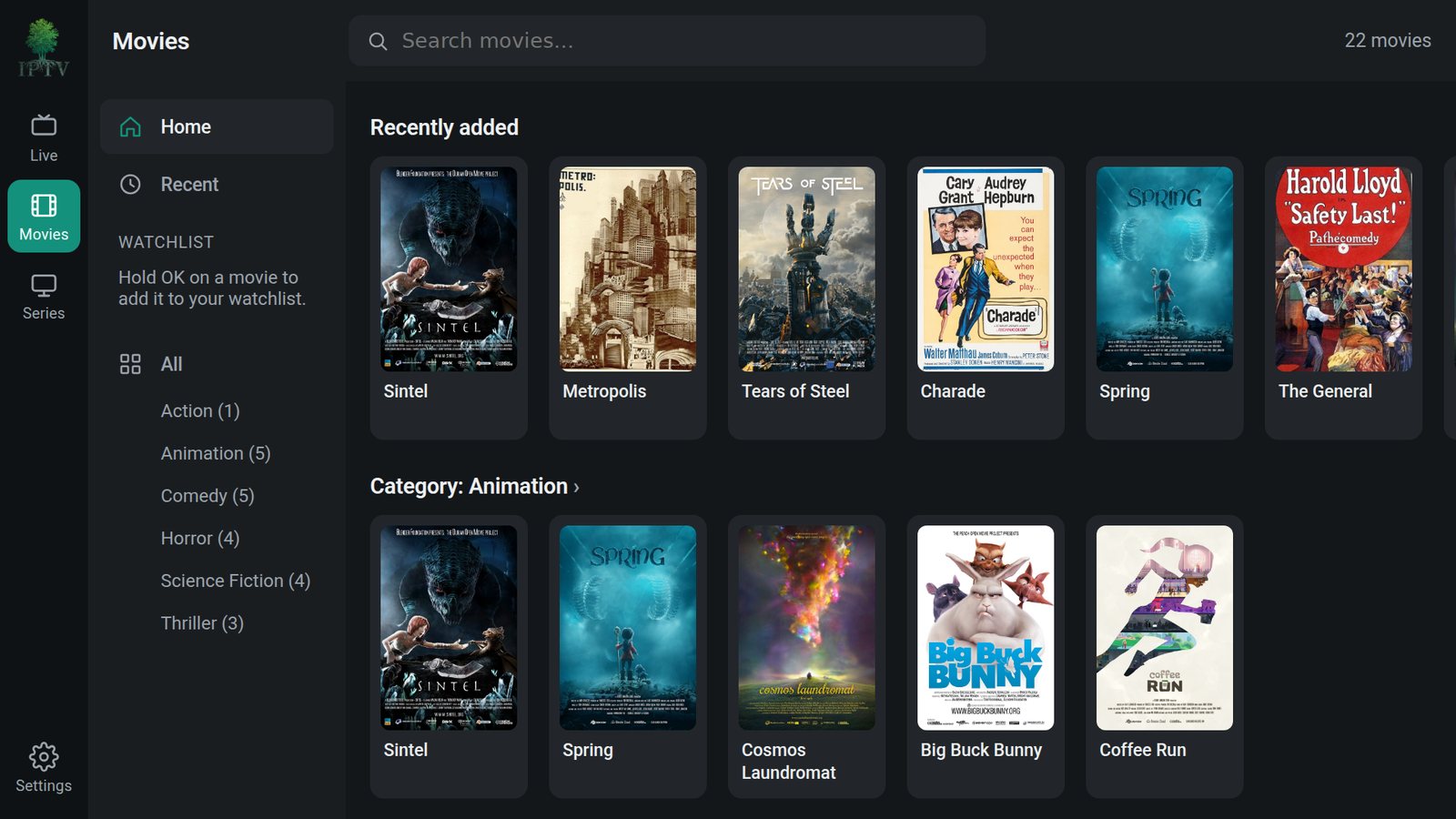
Screenshots show free content only (Blender open movies, © Blender Foundation, CC BY, and public-domain films). IPTV Tree itself contains no content.